Introduction to selectNsolve Basic™
Master the minimal syntax required to transform your Google Sheets™ into a powerful equation solver.
Math Shouldn't Be Terrifying
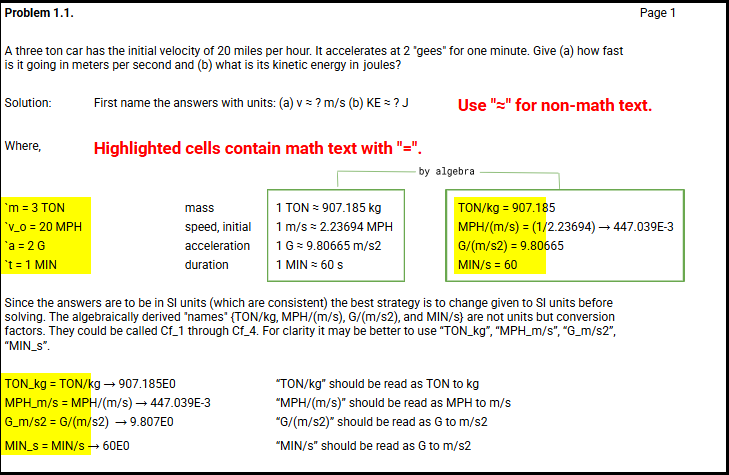
selectNsolve Basic™ is an add-on that solves single-variable equations with minimal requirements. Any text in individual cells containing a single equal sign ("=") is automatically recognized as "math text."
Standard Equation Format
The pipe character | flags the cell as an equation and sets the precision — a value greater than 0 and up to 1 (e.g. 0.0001). Closer to 1 means higher precision; the add-on narrows min and max toward the solution, subject to a 60-second limit.
Quick Examples
Quadratic
Energy Balance
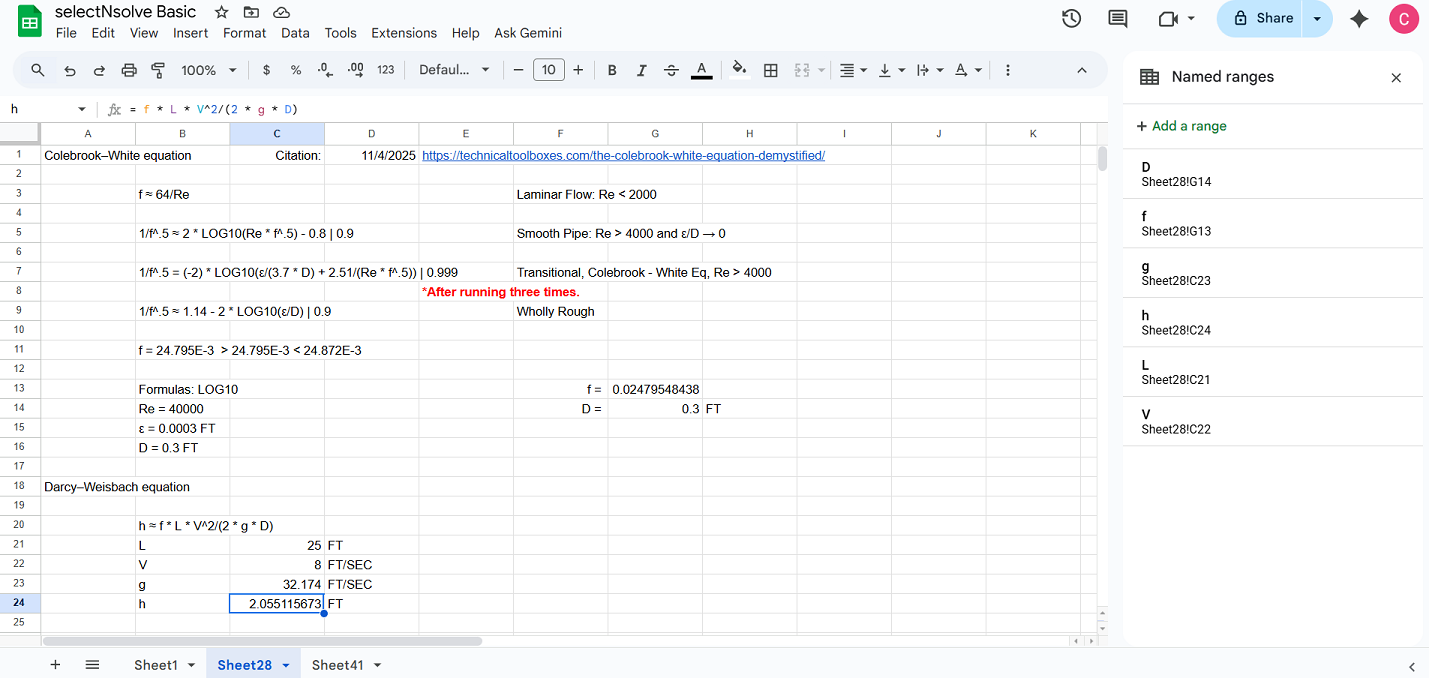
selectNsolve Basic™ — instructions example
Operators
Control characters and Unicode math operators are supported. We embrace all Unicode math operators for current and future mathematical notation.
Names and Units
You can use any sequence of one or more Unicode characters (excluding math operators) to define your variable names and units.
Defining Elements
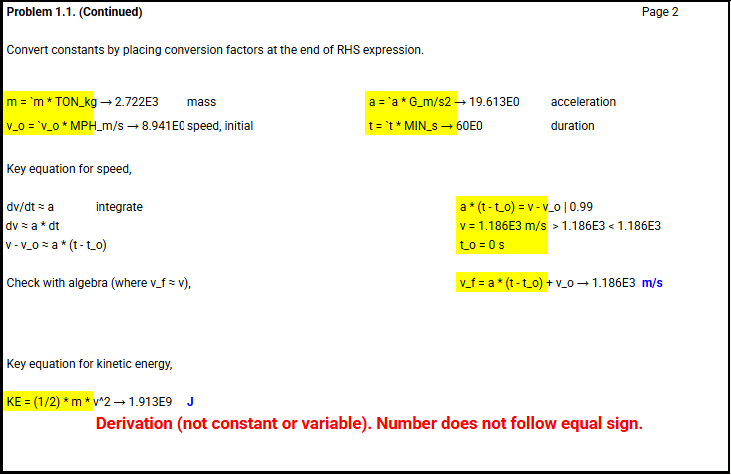
Constants
Variables (with bounds)
Initial value plus bounds — the solver searches between the lower (≥) and upper (≤) bounds.
Derivations
Formulas & Cell References
How the Elements Work Together
Important Note About Units
While the software helps you solve equations quickly, understanding and correctly manipulating units (dimensions) is critical. Unit manipulation remains an essential skill for any test-taker or professional engineer.
- Input values use consistent units
- Output values are interpreted with correct units
- Unit conversions are performed accurately
Ready to begin?
Start with simple constants and variables, then progress to more complex equations as you become comfortable with the syntax.